 Credit: Lucas Gouveia / Android Police
 By
Faith Leroux
Published Feb 28, 2026, 3:00 PM EST
Faith writes guides, how-tos, and roundups on the latest Android games and apps for Android Police. You'll find her writing about the newest free-to-play game to hit Android or discussing her paranoia about digital privacy and poor smartphone practices.
She will occasionally dabble in Samsung's latest features in One UI. On the games side, her area of expertise is in action RPGs and gacha games, but she will play and study the occasional competitive shooter. But most of all, her appetite for new stories still goes unquenched — as shown with her personal love for the Trails series.
Before joining Android Police, Faith studied Chemistry and graduated with an honors specialization in Chemistry in 2016, leading her to spend many hours toiling around the lab as an undergraduate. Eventually, all those hours spent at the lab led Faith to develop her analytical mindset. So now, if you give Faith a problem, she will relentlessly tackle it to find a solution.
Her favorite pastime as a student was always writing reports, presentations, tutorials, and literature reviews, which guided her into completing a graduate certificate in technical writing. Thanks to her time writing for Android Police, she has an ignited passion for user security and privacy and is currently pursuing her certification in Cyber Security.
Faith's first Android phone was the Samsung Galaxy Note II in 2012, giving her a taste of how a small piece of powerful hardware can open up endless opportunities for her favorite hobbies. Though if you ask her about her purchasing regrets, she will always say missing out on the Google Nexus still stings to this very day.
She's also been a gamer for over 20 years, starting with Super Mario Bros. on the NES; she has owned over 15 devices for gaming, ranging from handhelds to consoles. Now, with her analytical mindset, passion for writing, and core identity as a gamer, she can finally chase her dreams as a technical writer and gaming journalist.
Nowadays, you'll find Faith studying spreadsheets and assembling data to theorycraft new teams and builds for Genshin Impact, Honkai: Star Rail, Wuthering Waves, and Zenless Zone Zero. You'll also see her digging deep to discover Android gaming's most hidden gems, along with productivity apps and AI features.
Sign in to your Android Police account
Add Us On
Summary
Generate a summary of this story
follow
Follow
followed
Followed
Like
Like
Thread
Log in
Here is a fact-based summary of the story contents:
Try something different:
Show me the facts
Explain it like I’m 5
Give me a lighthearted recap
By
Faith Leroux
Published Feb 28, 2026, 3:00 PM EST
Faith writes guides, how-tos, and roundups on the latest Android games and apps for Android Police. You'll find her writing about the newest free-to-play game to hit Android or discussing her paranoia about digital privacy and poor smartphone practices.
She will occasionally dabble in Samsung's latest features in One UI. On the games side, her area of expertise is in action RPGs and gacha games, but she will play and study the occasional competitive shooter. But most of all, her appetite for new stories still goes unquenched — as shown with her personal love for the Trails series.
Before joining Android Police, Faith studied Chemistry and graduated with an honors specialization in Chemistry in 2016, leading her to spend many hours toiling around the lab as an undergraduate. Eventually, all those hours spent at the lab led Faith to develop her analytical mindset. So now, if you give Faith a problem, she will relentlessly tackle it to find a solution.
Her favorite pastime as a student was always writing reports, presentations, tutorials, and literature reviews, which guided her into completing a graduate certificate in technical writing. Thanks to her time writing for Android Police, she has an ignited passion for user security and privacy and is currently pursuing her certification in Cyber Security.
Faith's first Android phone was the Samsung Galaxy Note II in 2012, giving her a taste of how a small piece of powerful hardware can open up endless opportunities for her favorite hobbies. Though if you ask her about her purchasing regrets, she will always say missing out on the Google Nexus still stings to this very day.
She's also been a gamer for over 20 years, starting with Super Mario Bros. on the NES; she has owned over 15 devices for gaming, ranging from handhelds to consoles. Now, with her analytical mindset, passion for writing, and core identity as a gamer, she can finally chase her dreams as a technical writer and gaming journalist.
Nowadays, you'll find Faith studying spreadsheets and assembling data to theorycraft new teams and builds for Genshin Impact, Honkai: Star Rail, Wuthering Waves, and Zenless Zone Zero. You'll also see her digging deep to discover Android gaming's most hidden gems, along with productivity apps and AI features.
Sign in to your Android Police account
Add Us On
Summary
Generate a summary of this story
follow
Follow
followed
Followed
Like
Like
Thread
Log in
Here is a fact-based summary of the story contents:
Try something different:
Show me the facts
Explain it like I’m 5
Give me a lighthearted recap
I've primarily been a Samsung smartphone user for most of my life. My first premium Galaxy device was the Samsung Galaxy Note II.
Later, I kept upgrading to other Galaxy phones, and I haven't stopped since.
But one of the benefits of being a Samsung user is the app ecosystem. I can choose between Google and Samsung apps. Currently, I am around a 60% to 40% split between Samsung and Google (this is an estimate), but I still keep tabs on most of my apps.
The Google app I've long since retired and stopped keeping tabs on was Google Keep.
I thought to myself: Why use Google Keep when I already use Samsung Notes, Notepad, and OneNote as my go-to note-taking apps?
Turns out that I am years behind, and this little note-taking app by Google punches well above its weight than I gave it credit for.
 Related
I stopped pretending third-party apps are always better than the default Google apps
Related
I stopped pretending third-party apps are always better than the default Google apps
Here's why I don't bother replacing Google's apps anymore
Posts 9 By Anu JoyWhy I started paying attention to Google Keep again
Tasks integration is a complete game-changer
 Credit: Lucas Gouveia / Android Police
One of my colleagues writes about productivity apps all the time. He often compares popular options and highlights the best features in each.
But then I noticed he started writing about Google Keep again after Google pushed out a more recent update to the app.
I thought to myself, "Are people genuinely still using this app?" I was really surprised, so I went digging through our Google Keep content.
In one of his articles, he wrote about how he initially used the app as a "digital dumping ground," which is exactly how I would use it before, and partially why I stopped.
It turns out that I severely underestimated Google Keep. My old notes consisted of disjointed to-do lists and reminders, for which you don't need Google Keep.
There are a few to-do list apps that work better, like Todoist (the one I've used) and TickTick.
Plus, I even proved that Google Calendar did well with managing my daily routines. I stopped missing a single beat after I effectively leveraged Calendar's Google Tasks integration.
But I was wrong. Google Keep is much better than I give it credit for. I recently picked it up again, and I was surprised by my experience.
For one, a late October 2025 update for Google Keep integrated Google Tasks into the app.
Reminders in Google Keep can automatically be saved to Google Tasks. Plus, the update unified Google Tasks and Google Calendar with Google Keep, which all worked with Google Gemini.
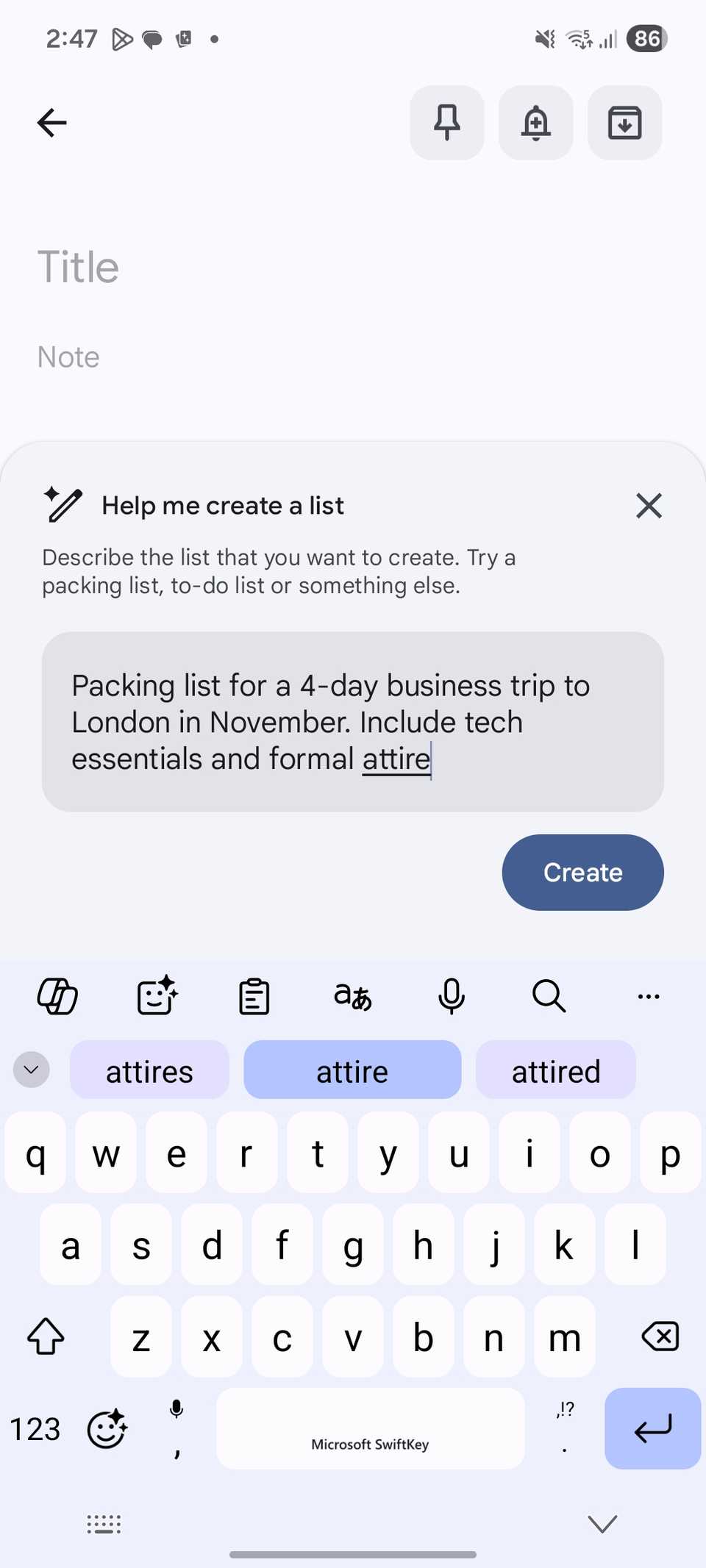
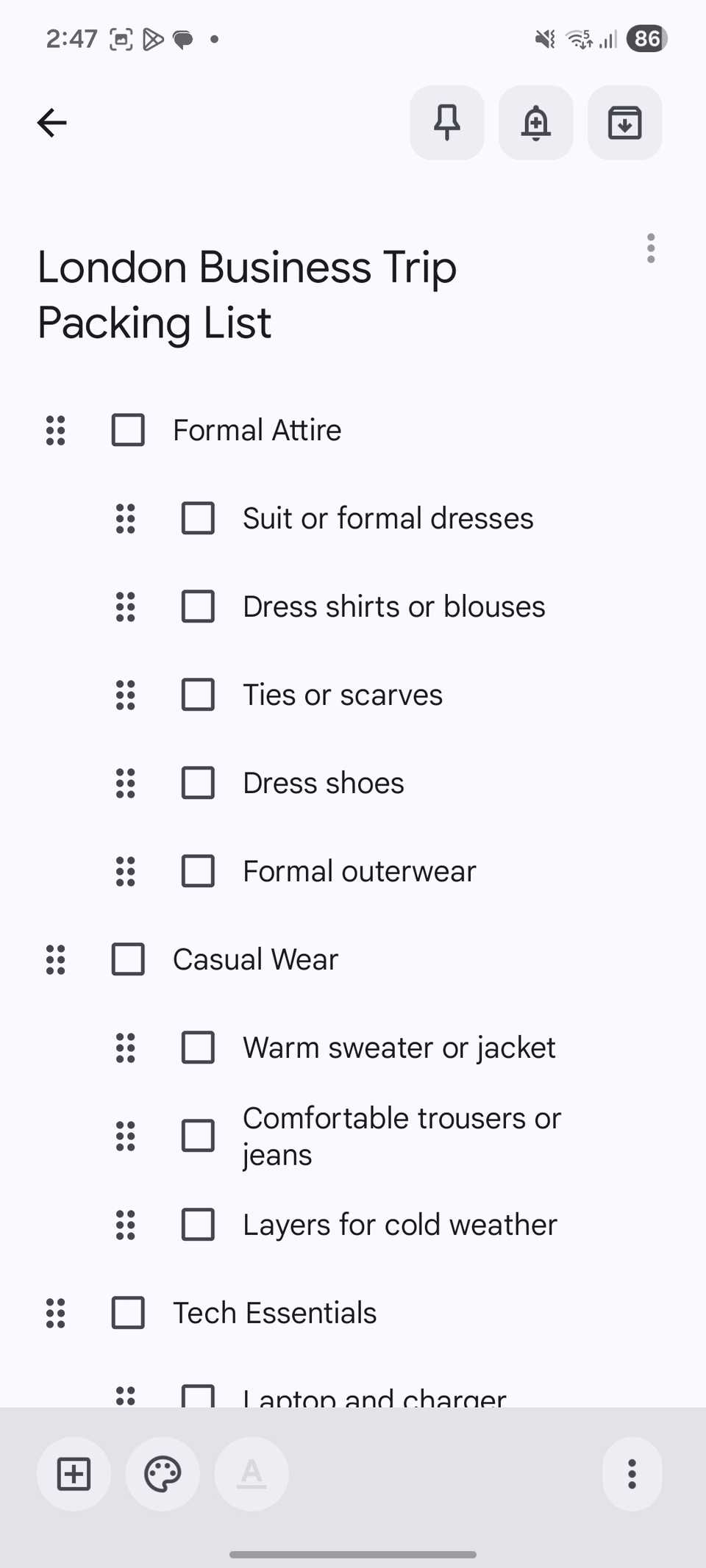 Close
Close
So it solved the issue of me having to go back and forth, just to get overwhelmed about where exactly I put my schedule notes and routine.
Saving it to Google Keep meant I didn't have to copy it to Google Calendar. It means less management.
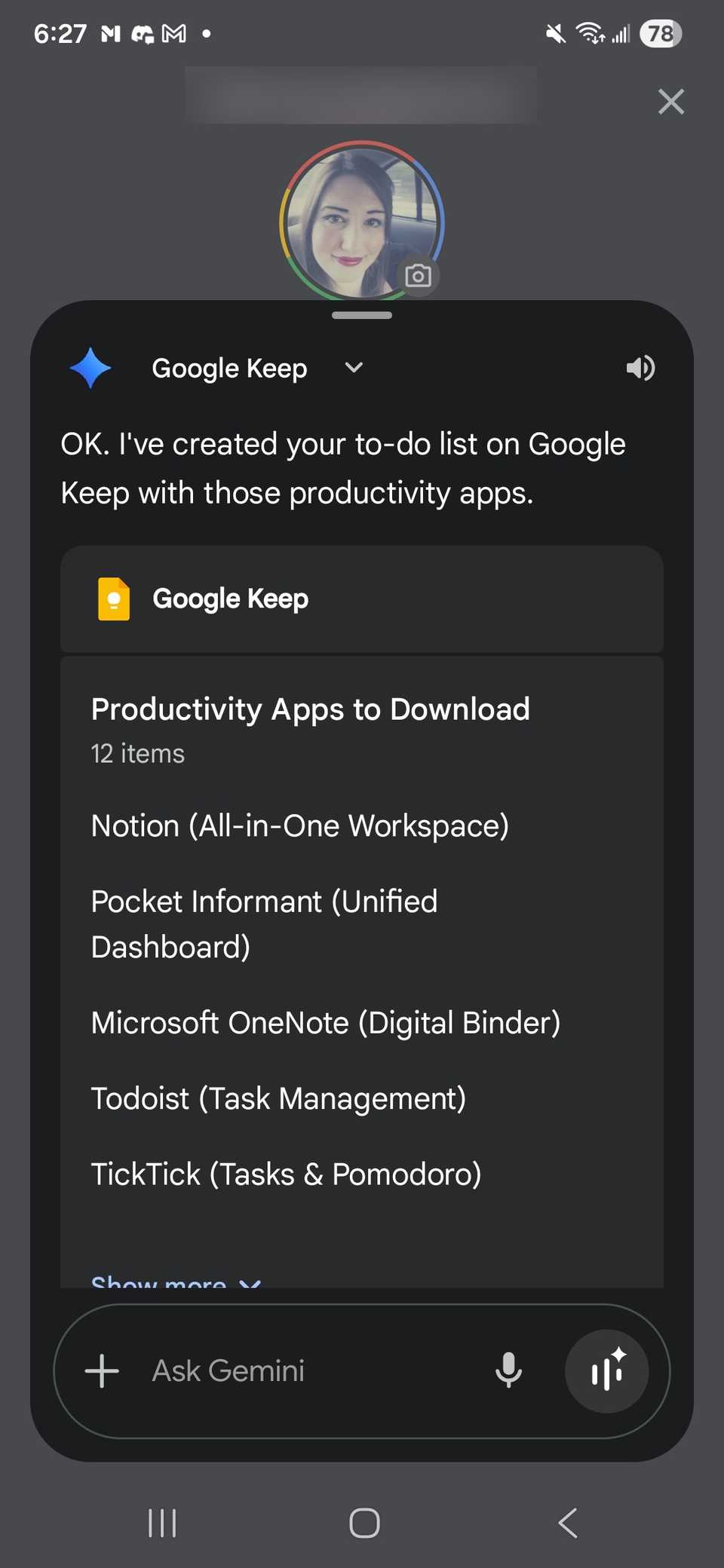
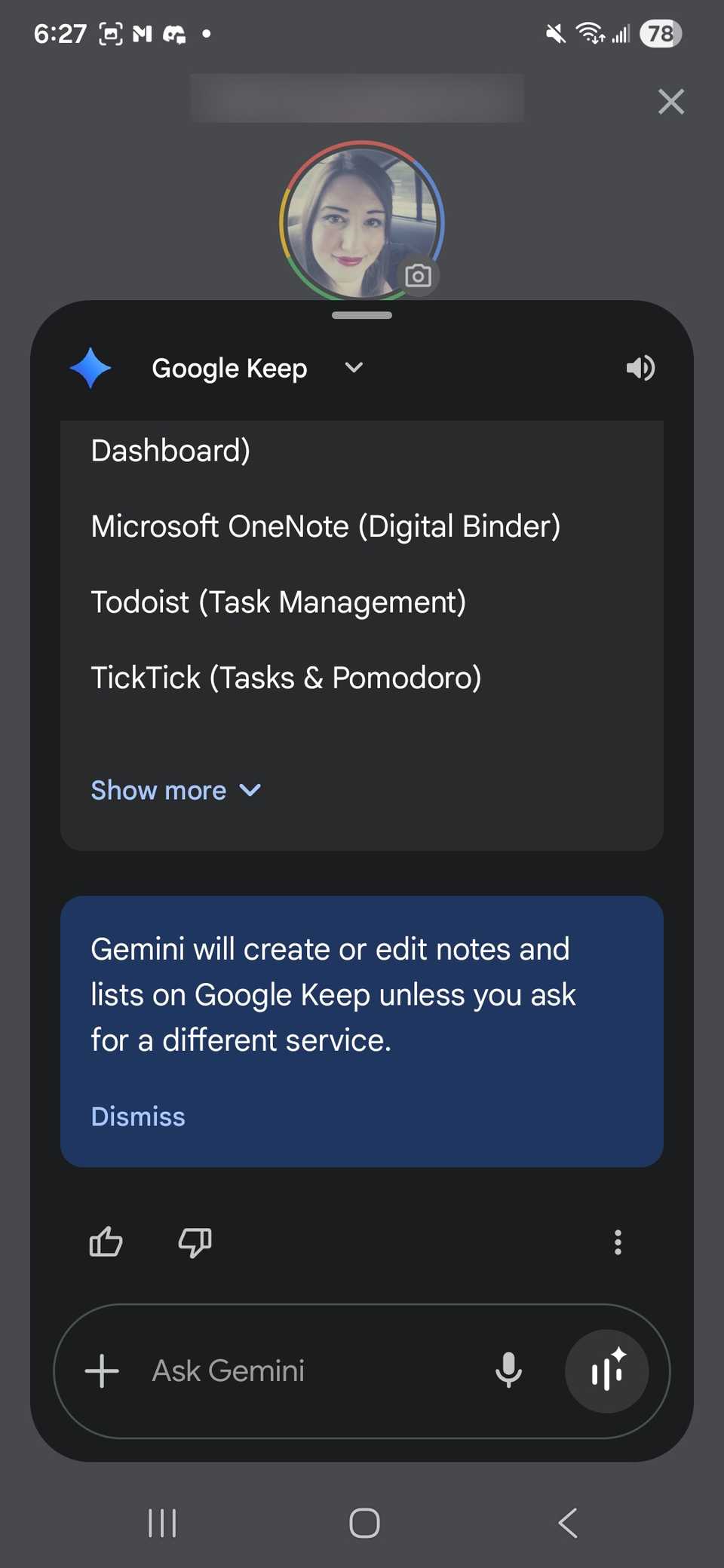
If I were feeling really lazy (which I have been finding myself doing more often since all I have to do is press the volume down button to summon Gemini on my phone), I would ask Gemini to create the reminder for me, and it would integrate with Keep without having to launch it.
 Close
Close
To have the Gemini assistant add and edit Google Keep lists, you must connect your Workspace account to Gemini.
I saw how my colleague used this feature as a powerful tool to front-end his workflow in his December article, and I couldn't believe it was the same app I'd used years ago.
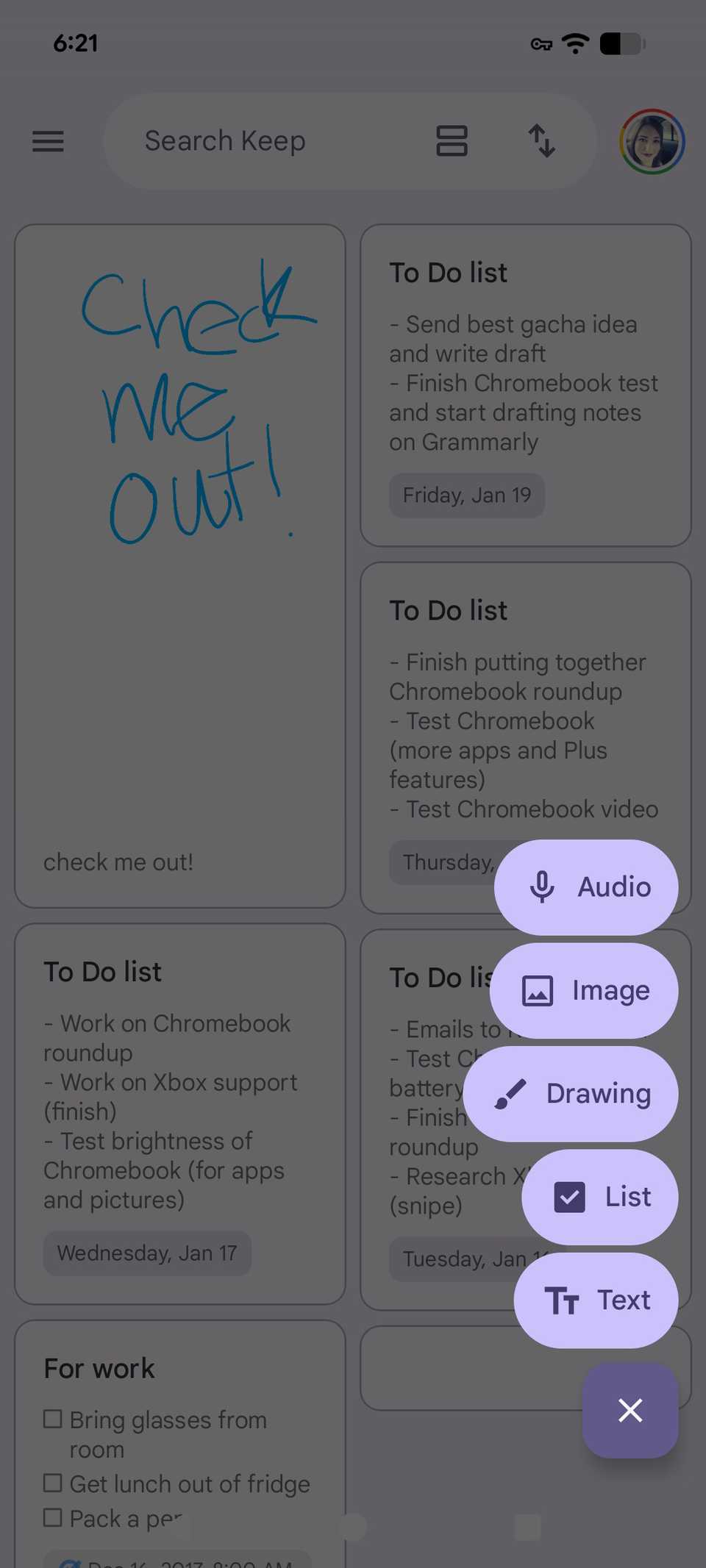
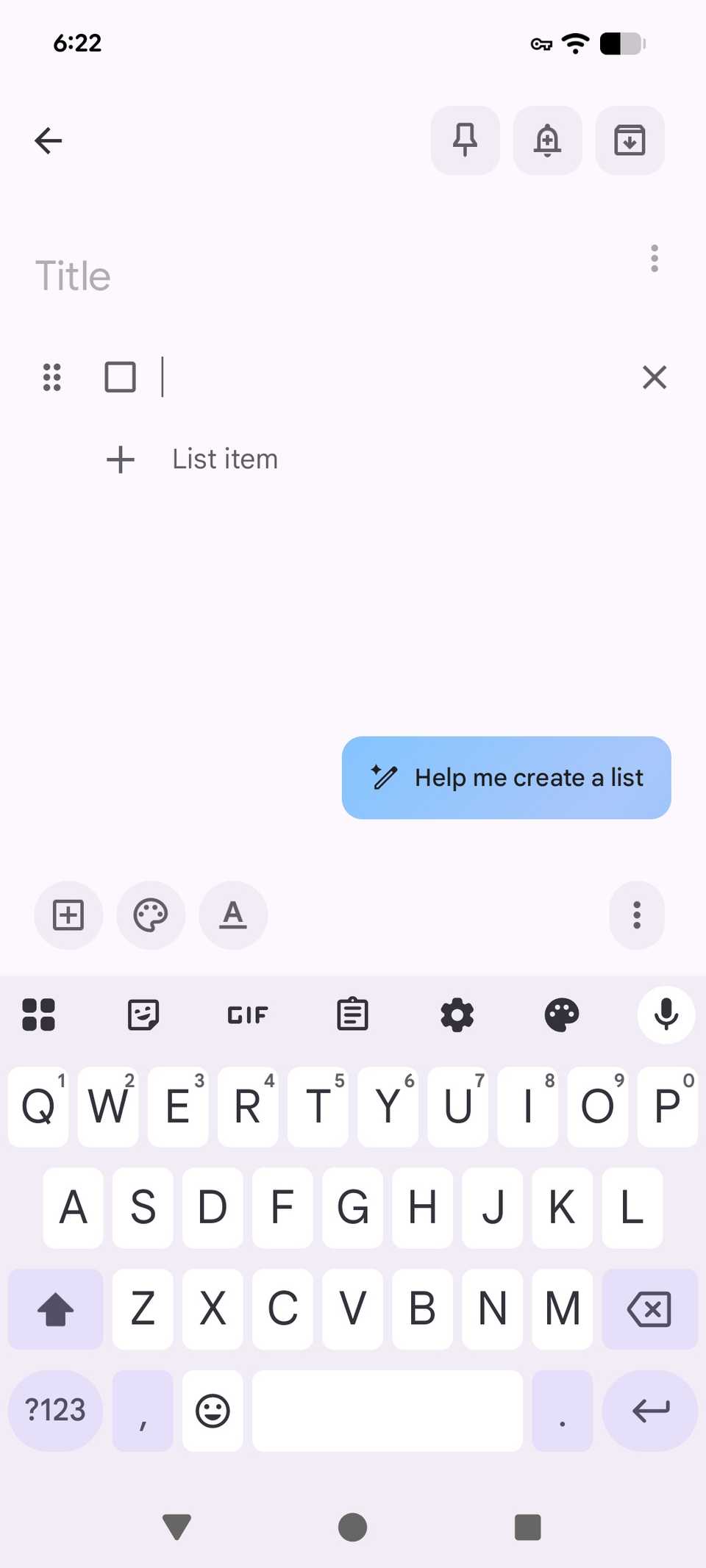
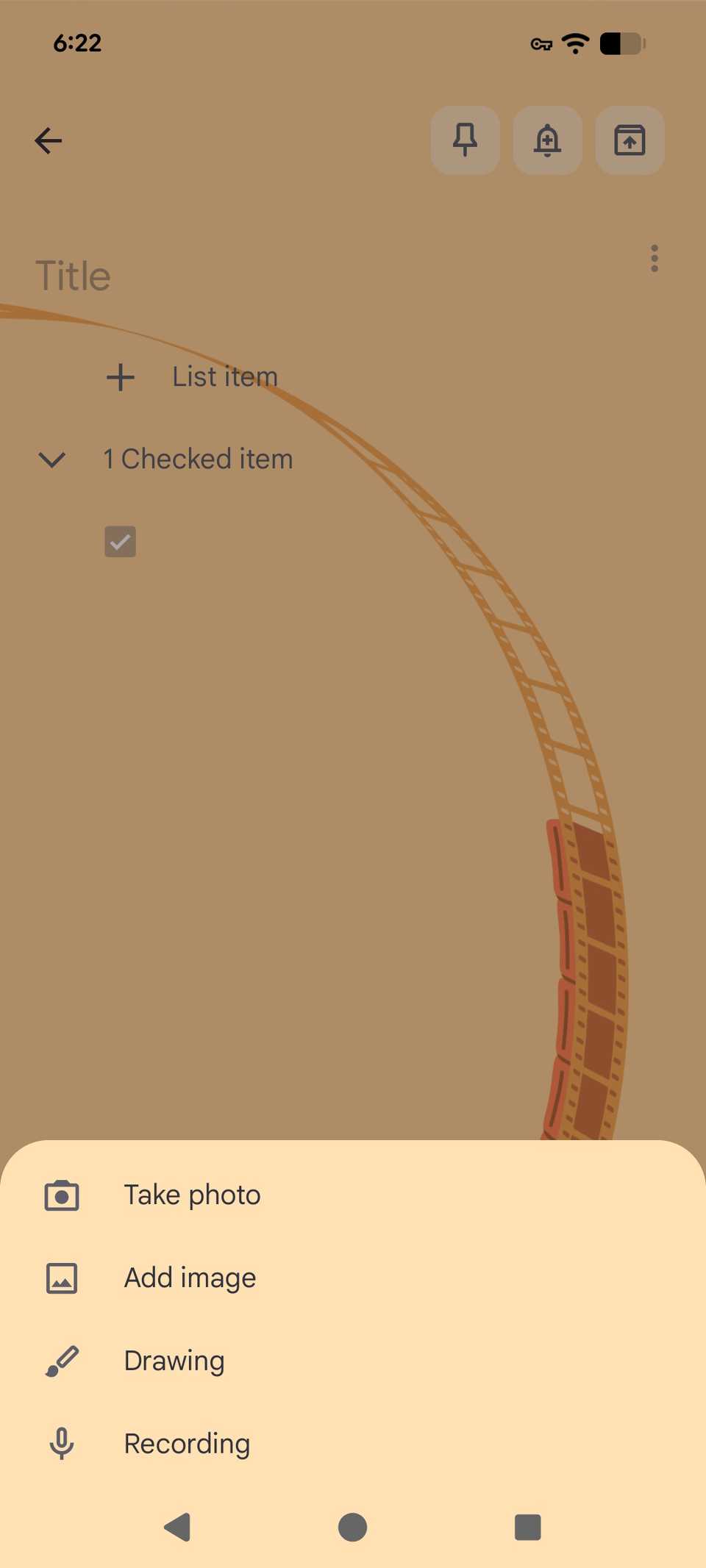
Plus, with the new Material 3 Express theme redesign, the app looks much more modern. I immediately noticed this when I checked the app out on my Google Pixel 8.
 Close
Close
Ironically, I was never a massive fan of the original UI; it was too simple, and icons were a bit too muted.
So far, the new design captures my attention. The app looks much cleaner than what I remembered.
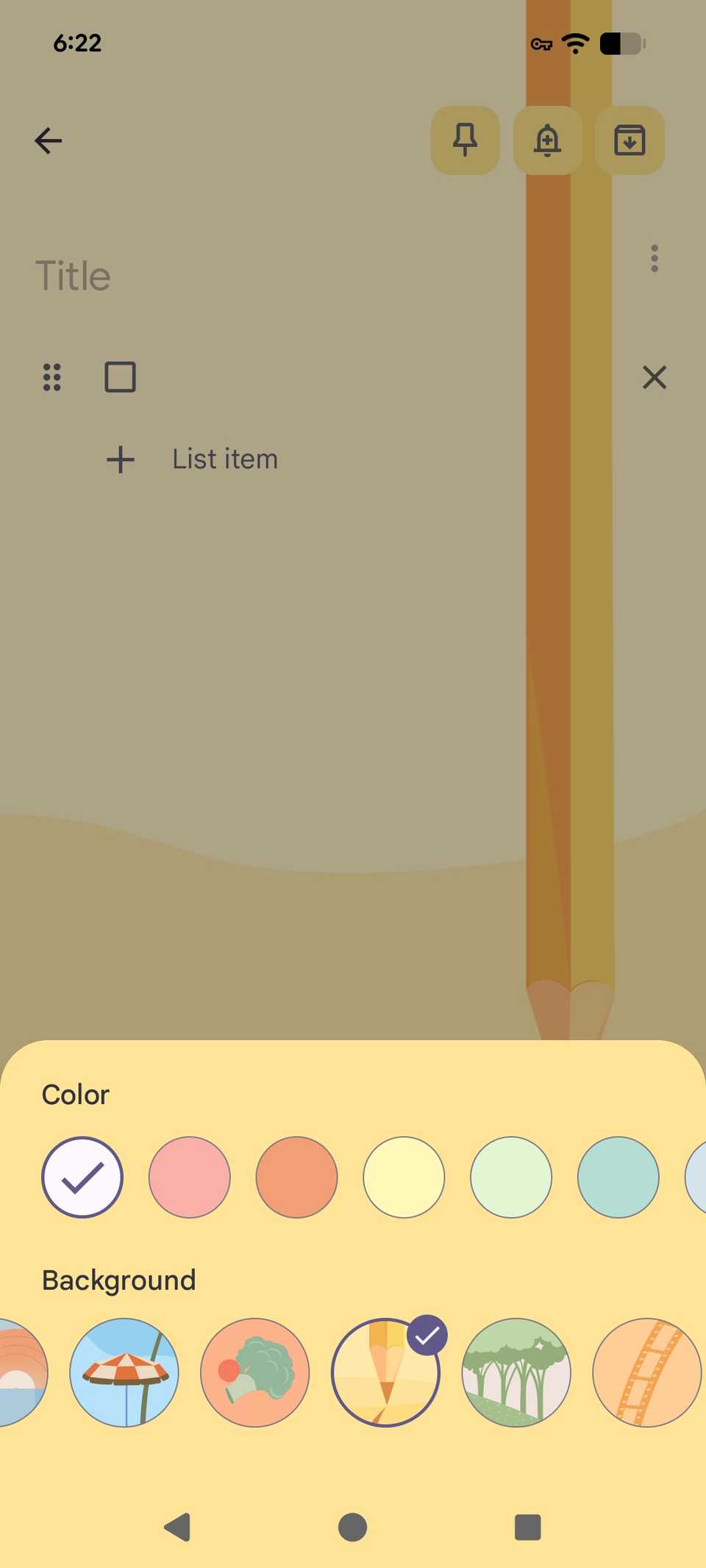
To me, it's easier to visualize my lists with dynamic color themes (I found the previous colors a bit too bright), and the overall UI looks less cluttered because buttons and UI elements are contained within containers.
 Close
Close
When an app is more visually appealing to me while keeping its core features untouched, I tend to stick with it.
Part of me wants to use Android apps over the desktop view or Chrome extensions, but I need everything to translate well to a phone — less busy menus and buttons that don't take a while to find.
Thankfully, even though it has been years since I last launched the app, using it again felt very familiar yet fresh.
Why I'll keep Google Keep installed long-term
Cross-platform syncing is a necessity for me
 Credit: Lucas Gouveia / Android Police | Prostock-studio / Shutterstock
One thing I like about Google Keep compared to my other note-taking apps is that I can easily integrate it across different platforms.
Samsung Notes is annoying to sync with the other platforms I use. I love working with my iPad, ThinkPad, Windows Desktop, Chromebook, and Samsung Galaxy S25+.
It often requires other apps or tools to sync properly. That's not very helpful when I want to switch platforms in the blink of an eye, without having to sign in to something else and send it over manually.
This is where I really miss Google apps, since it's easy to work across multiple platforms (even Apple).
Subscribe to the newsletter for Google Keep insights
Get curated newsletter coverage by subscribing to learn how Google Keep's updates, Tasks/Gemini integration, Material 3 redesign, and cross-platform sync affect your note-taking choices. Practical explanations and comparisons help you decide what to use. Subscribe By subscribing, you agree to receive newsletter and marketing emails, and accept our Terms of Use and Privacy Policy. You can unsubscribe anytime.Google Keep just requires a Google account. I can easily use it on any platform I want without needing another tool or note-taking app to transfer my progress.
I almost regret not doing this sooner. Eventually, I will need to transfer some of my notes from my phone via a third-party app, and it will require me to either paste my text manually or share it one by one to another device via quick share.
Now I know that I really should have used Google Keep instead of relying on a third-party app on my old six-year-old phone.
Plus, since my job requires me to explore different Android ecosystems, a Google app is the best go-between when I am diving into Samsung, OnePlus, and Pixel devices.
I tend to write down minor notes as I test and spot new features on each of my devices — but keeping mental notes isn't very helpful and always precise.
Take time to explore Google Keep
While I ditched Google Keep years ago, I'm happy I came back to it.
Even though I won't always use Google Keep as a reminder or to-do list app, I feel much more confident knowing I can finally replace my pesky third-party note-taking app with something just as simple but better.
Google Keep has some nice features, like its grab image text option, which I have been using a lot more since I sometimes take pictures of text on screen or my jotted down notes.
The only downside (for me personally) to the update is that location-based reminders are no longer supported.
You can still use the Google Tasks integration to get time-based alerts, but location-based alerts are no longer available.
Follow Followed Like Share Facebook X WhatsApp Threads Bluesky LinkedIn Reddit Flipboard Copy link Email CloseSubscribe to the newsletter for Google Keep insights
Get curated newsletter coverage by subscribing to learn how Google Keep's updates, Tasks/Gemini integration, Material 3 redesign, and cross-platform sync affect your note-taking choices. Practical explanations and comparisons help you decide what to use. Subscribe By subscribing, you agree to receive newsletter and marketing emails, and accept our Terms of Use and Privacy Policy. You can unsubscribe anytime. Trending Now 6 overlooked Gmail settings to finally tame your Android inbox
 I've used Google Photos since day one, and I'm finally reaching a breaking point
 This Gemini feature made me delete half my learning apps